13 Drift Events a Day: See How Much Drift Is Already Happening in Your Environment
Get the report

Security controls change constantly. Firewall rules are modified, endpoint exclusions are added, identity policies are adjusted, and temporary exceptions appear as teams respond to new business and operational requirements.
Some of those changes are expected. Some turn out to be harmless. Others quietly weaken the defenses organizations depend on.
Detecting that a configuration changed is really important for security teams, but it’s just the beginning of the investigation. Security teams still need to understand what happened, how the configuration evolved, who made the change, whether the risk was consciously accepted, whether the setting has already been restored, and what still requires action.
The Reach configuration drift capability is designed to answer those questions. New capabilities including Event-Based Alert Grouping, Drift History, Manual Risk Acceptance, and Automated Status Management give security teams a more complete way to manage configuration change from detection through resolution.
A single administrative action can affect several values inside the same security policy or configuration object. Without the right structure, the security team can end up treating every field change as a separate event and spending time reconstructing activity that belongs together.
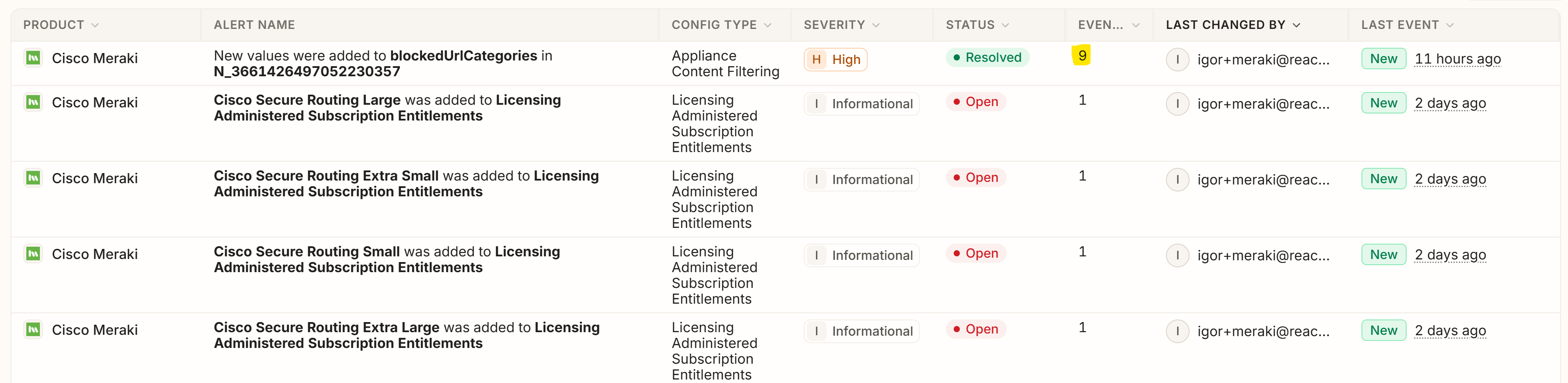
Event-Based Alert Grouping organizes related configuration events into a single Drift alert while preserving the individual changes underneath it. Analysts can investigate the configuration activity as a coherent, single investigation spanning multiple related events instead of piecing the story together change by change, field by field, event by event, or alert by alert. It's all just one story.
For example, an administrator might make several updates to an endpoint prevention policy during the same maintenance activity. Reach can associate those related events with the same alert so the analyst sees one investigation with the detailed changes behind it. The alert becomes the place where the configuration’s activity, status, and history come together.
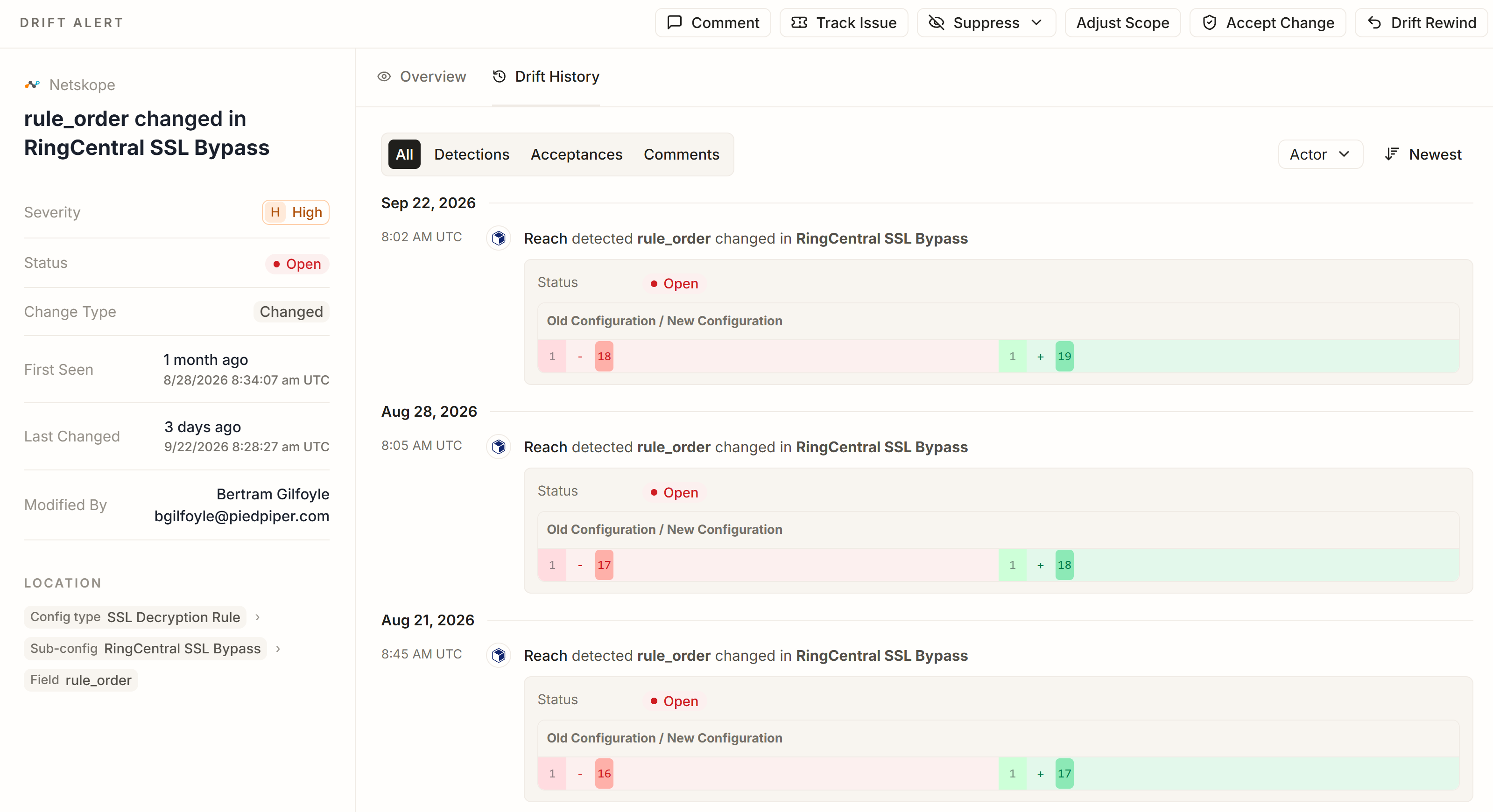
The current configuration tells you where the setting is now, whether it's a good configuration or a bad configuration. It would be especially helpful if it told you how it got to it's current state. That history often determines whether a change is routine, suspicious, temporary, recurring, or already resolved.
Drift History provides a persistent timeline of activity around a tracked configuration. Teams can review detections, configuration changes, status transitions, comments, acceptances, and revocations, along with available information about who took each action and when.
That makes it possible to follow the lifecycle of a setting instead of evaluating a single before-and-after snapshot.
Consider an identity policy where users are repeatedly added to and removed from an exclusion list. The current configuration may show only the end state. Drift History can reveal the sequence of changes that led there and whether the same field has been changing repeatedly over time. Repeated changes to a sensitive security setting may warrant closer review. A one-time update followed by a documented acceptance may have a clear operational explanation. Reach keeps all of that history together so the security team can evaluate the change in context.
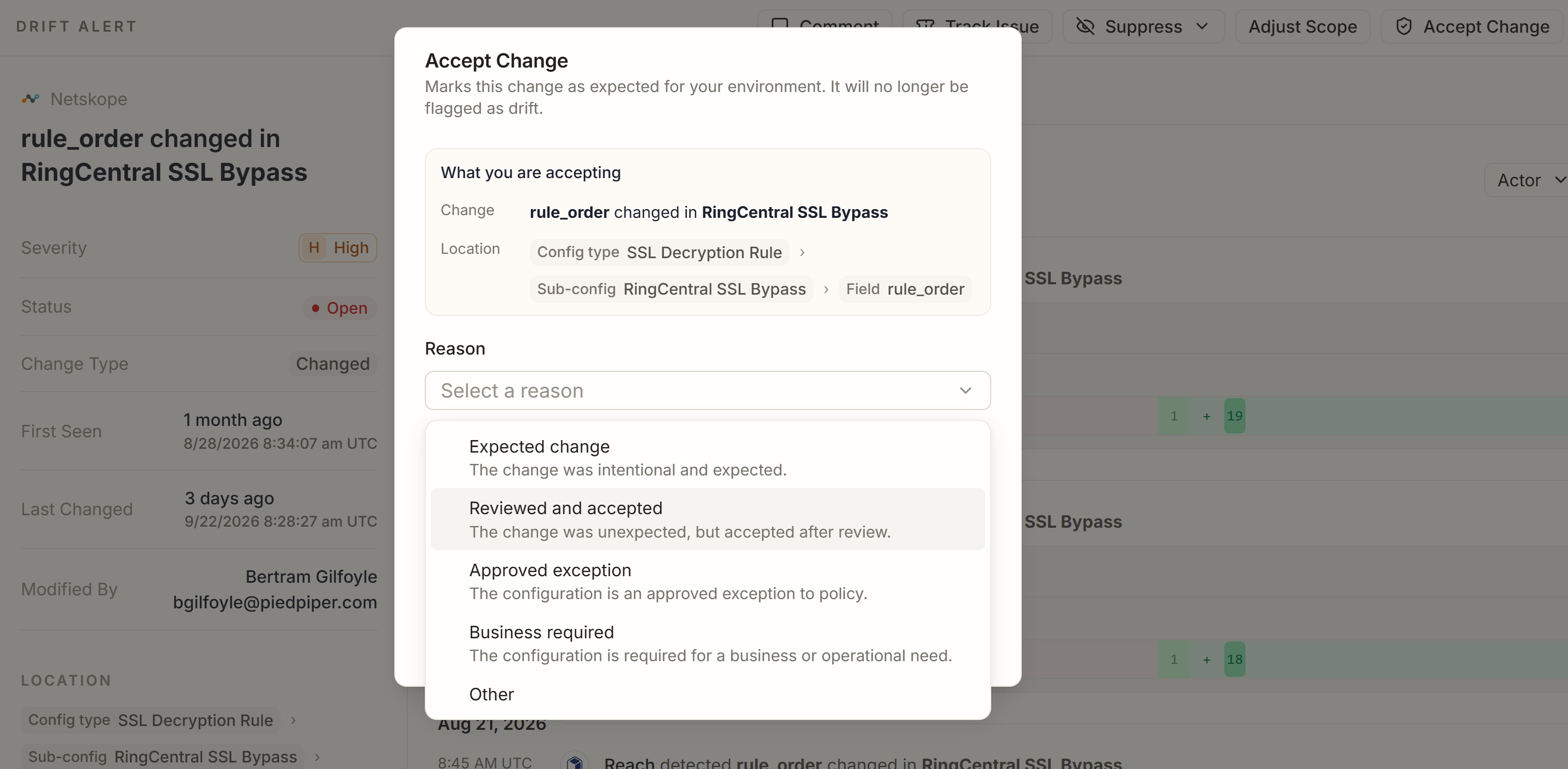
The investigation also includes the decisions the team makes along the way. With Manual Risk Acceptance, an analyst can review a configuration change and explicitly accept it when the condition is intentional, required by the business, or reviewed and deemed acceptable. The analyst selects a reason, provides justification, and creates a record of that decision in Drift History and the audit trail.
Acceptance is not permanent by default. If the risk changes, an exception expires, the original justification no longer applies, or the business requirement changes, the acceptance can be revoked and the alert returned to an open state. That gives security teams a structured way to distinguish two very different outcomes: the risk was remediated, or the organization knowingly accepted it. Both decisions will be recorded.
Configuration risk does not stand still after an alert is created. A setting may be restored to its original value, a team might remediate it into a healthier configuration, or the underlying object may disappear altogether. If the system continues treating the original condition as active, the investigation queue stops reflecting reality.
Automated Status Management follows the underlying configuration after the initial Drift event and updates the alert when the security state changes.
If a field returns to its starting state, a Golden Config, or a Reach-recommended value, Reach can automatically resolve the alert. If the underlying configuration no longer exists, the alert can move to a Removed state. The security team does not have to manually close issues that the environment itself has already resolved.
This creates a simple but important principle for Drift operations: your open issues should reflect the risk that actually exists now.
If a risky configuration has been restored, the alert should reflect that. If a reviewed change has been accepted, that decision should be visible. If circumstances later make the accepted condition risky again, the investigation should become actionable again. Reach tracks that lifecycle so the team can focus on the configuration weaknesses that still require attention.
When action is needed, Reach can also provide remediation guidance that points teams toward the configuration change required to restore protection. That may mean removing an overly broad exclusion, returning a prevention setting to an enforcing state, or correcting another security-control weakness identified through Drift. The objective is to move cleanly from understanding the problem to quickly resolving it.
Deploying the right security controls is a great first step, but they have to stay current, correct, and aligned to security policy over time.
Policies evolve and exceptions get introduced. Teams troubleshoot problems and make changes, and vendors introduce new settings. This will continue to happen and it's never going away. Configuration drift is part of operating a live security environment.
The security problems arise when teams can't tell whether those changes weakened protection, why they happened, or whether the resulting risk still exists.
The Reach Drift capability gives security teams a continuous record of those changes. Event-Based Alert Grouping keeps related activity together. Drift History preserves how the configuration evolved. Manual Risk Acceptance records the decisions teams make around intentional change. Automated Status Management keeps the alert aligned with the state of the environment.
Together, those capabilities turn configuration changes into a living investigation that follows the control from detection through decision and resolution.
Unlock the full power of your security stack with a free tool rationalization assessment.
Request a Demo

Read-only API key for a security tool of your choice

Create your account and setup the integration

Get results across licensing, control mapping, risk exposure, and posture

.png)


