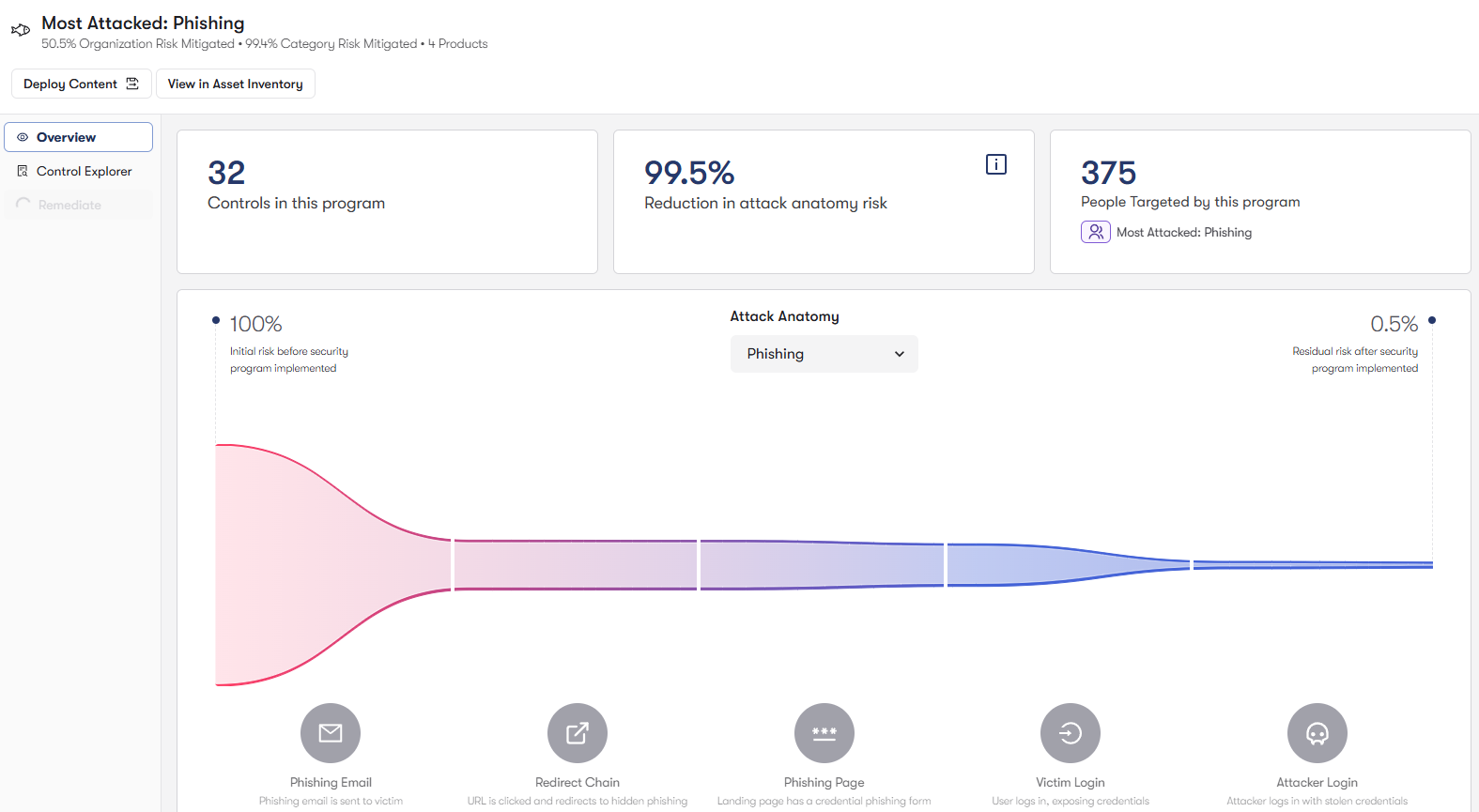
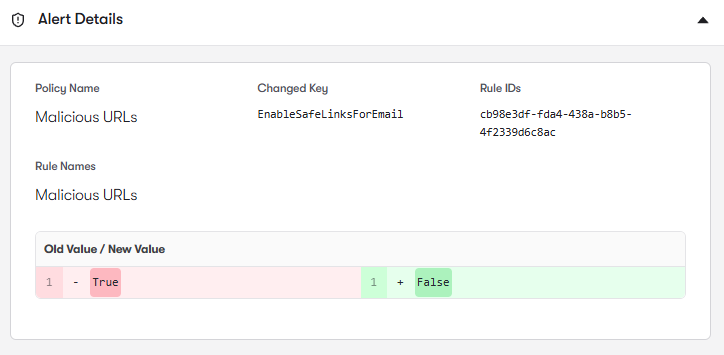
But these protections rely on properly configured security controls. Anti-Phishing policies, Safe Links rules, Safe Attachments policies, and allow/block lists can drift over time, leaving gaps where phishing messages, malicious URLs, or dangerous attachments bypass intended protections.
Defender for Office 365 relies on Anti-Phishing Policies to detect domain impersonation, user impersonation, and business email compromise attempts. Reach analyzes these policies to identify gaps in protected users, incomplete domain protection settings, and configurations that weaken impersonation detection. It also highlights cases where executive or high-risk accounts are not fully protected by advanced phishing controls. By strengthening Anti-Phishing policies, Reach helps organizations reduce the risk of credential harvesting and targeted email attacks.

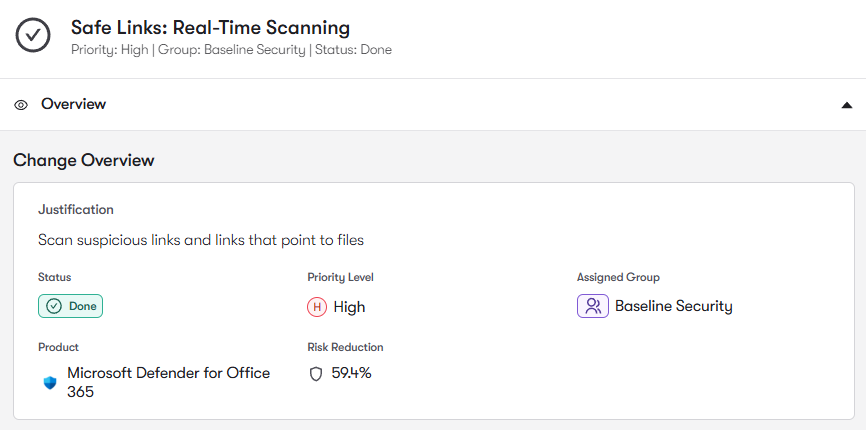
Safe Links policies protect users from phishing pages and malware-hosting websites by rewriting URLs and scanning them at click time. Reach analyzes Safe Links configurations to identify users, domains, or workloads that are not protected by URL rewriting and time-of-click analysis. It also highlights policy gaps where malicious links could bypass inspection. By ensuring Safe Links protections are consistently enforced, Reach helps stop phishing attacks that rely on deceptive URLs.

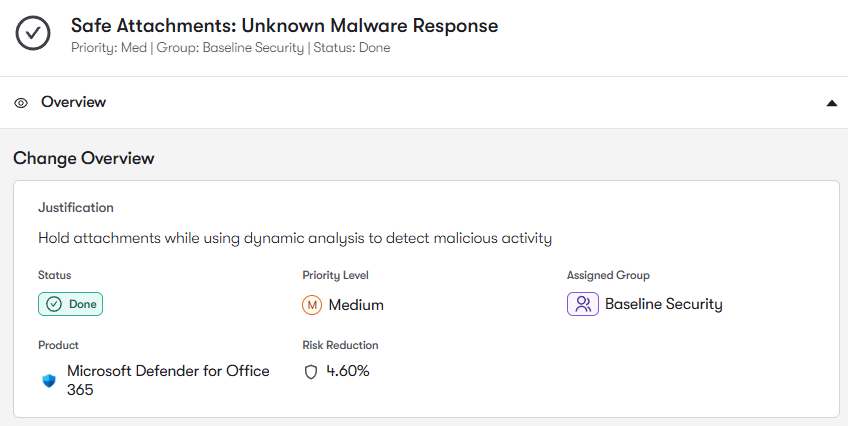
Email attachments remain one of the most common malware delivery mechanisms. Defender for Office 365 uses Safe Attachments policies to detonate suspicious files in sandbox environments before they reach users. Reach analyzes these policies to identify configurations where attachment scanning is disabled, operating in monitoring mode, or not applied to certain user groups. It also highlights gaps where malicious files could bypass sandbox inspection.

Email security policies often accumulate Tenant Allow/Block List entries, safe sender allowances, and policy exceptions over time. Reach analyzes these configurations to identify overly permissive allow rules that could allow malicious senders, domains, or URLs to bypass inspection. It also highlights exceptions that weaken phishing or malware protections. By tightening allow lists and policy exceptions, Reach helps ensure Defender policies consistently enforce intended security protections.

To join the community of customers enjoying the benefits of Reach and learn more about how it can transform your security posture, visit: